ez-pocket
POCKET SD CARD MANAGER / DESKTOP PREVIEW

Choose cores.
Review files.
Then apply.

Manage your Analogue Pocket SD card.

ez-pocket reads the card and lists your cores. Choose what to keep. Check the files it will add, replace, or remove. The app writes only after you approve. It also has separate tools for firmware, saves, and images.

Open source. No account needed.

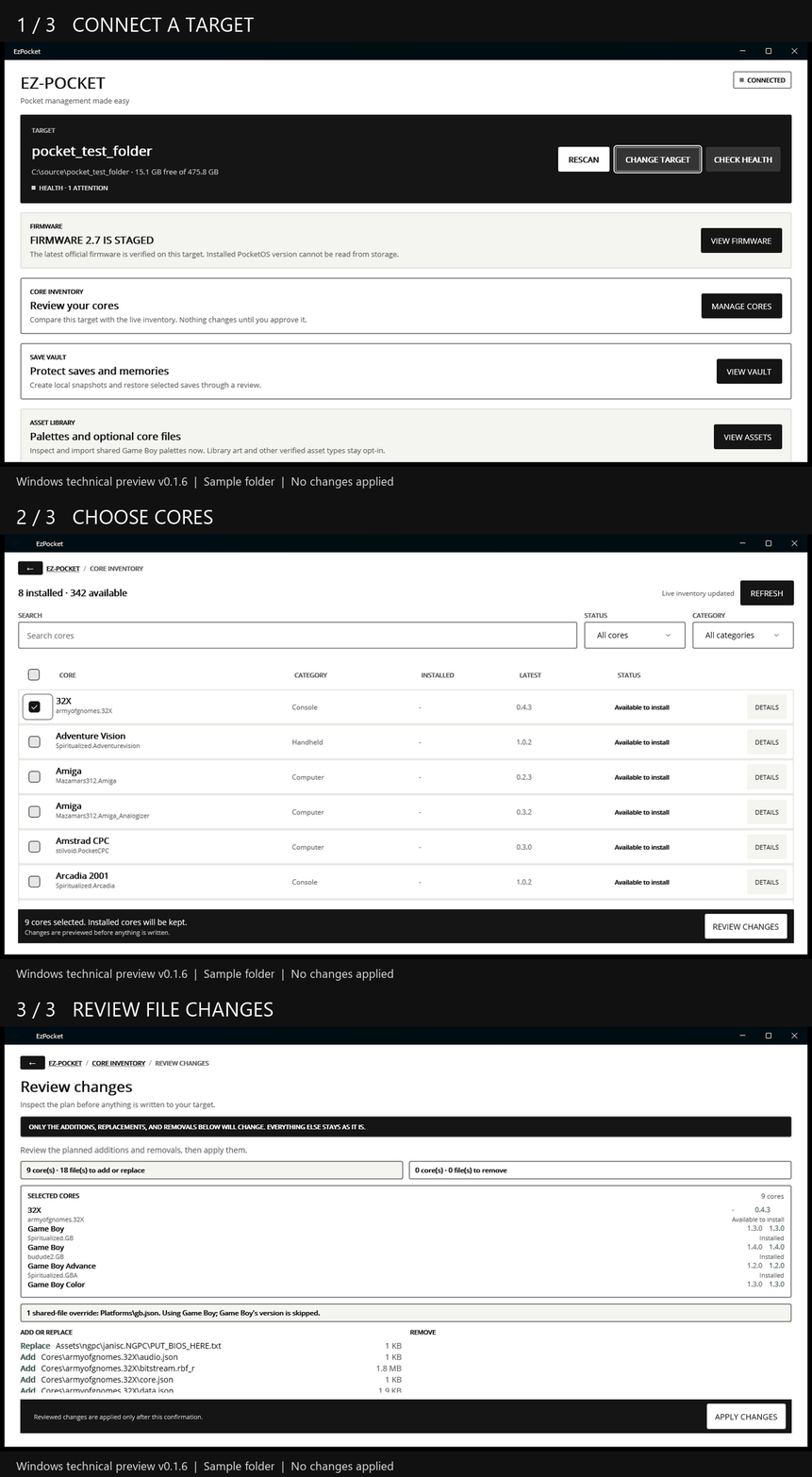
01 / DASHBOARDWINDOWS CAPTURE
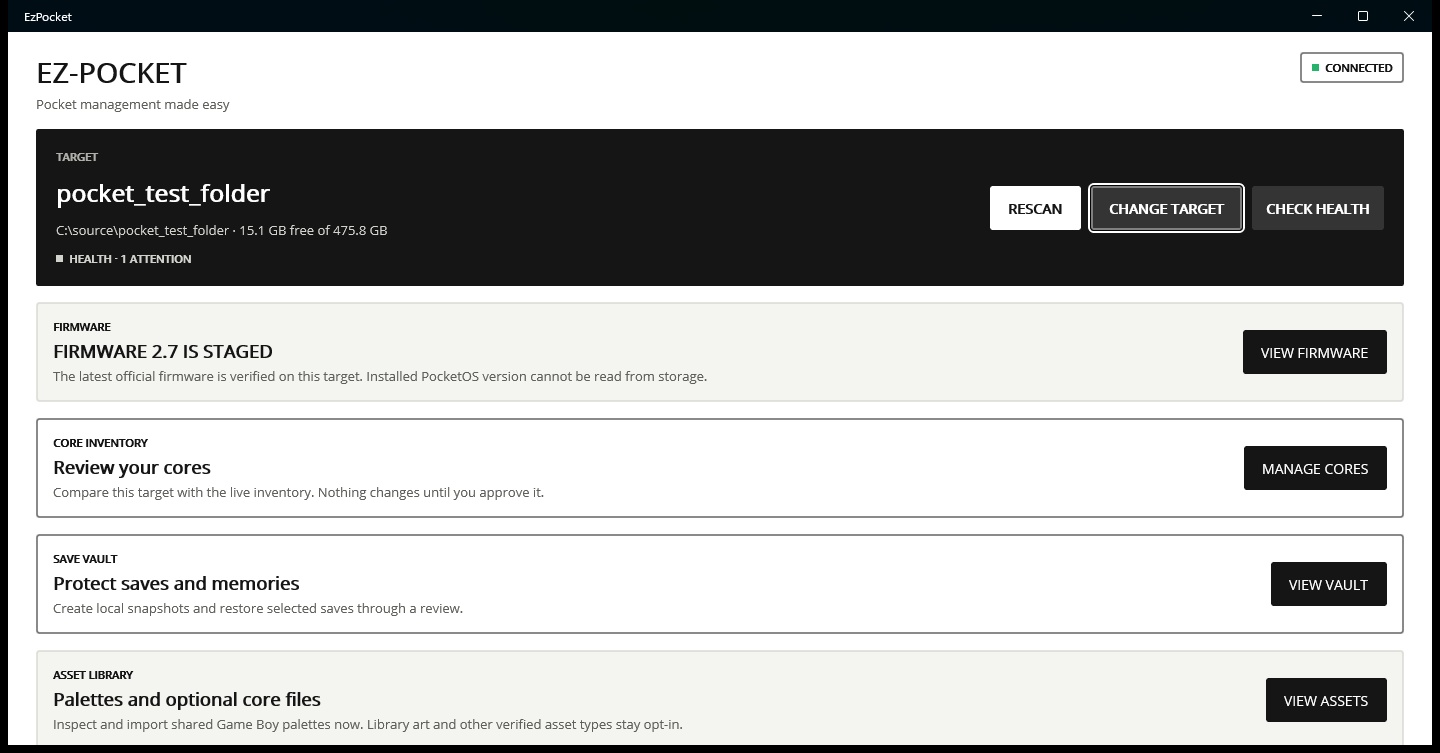
ez-pocket dashboard showing a sample target, firmware status, core management, Save Vault, and asset library
These screenshots show v0.1.6 with a sample folder. The current build may look different.
BEFORE A WRITE

A scan does not change your card. Review the files before you write.

THE WORKFLOW

Choose cores.
Check the files.

The app finds the cores on your card and checks what is available. You decide what to install, update, or remove.

01

Choose your cores.

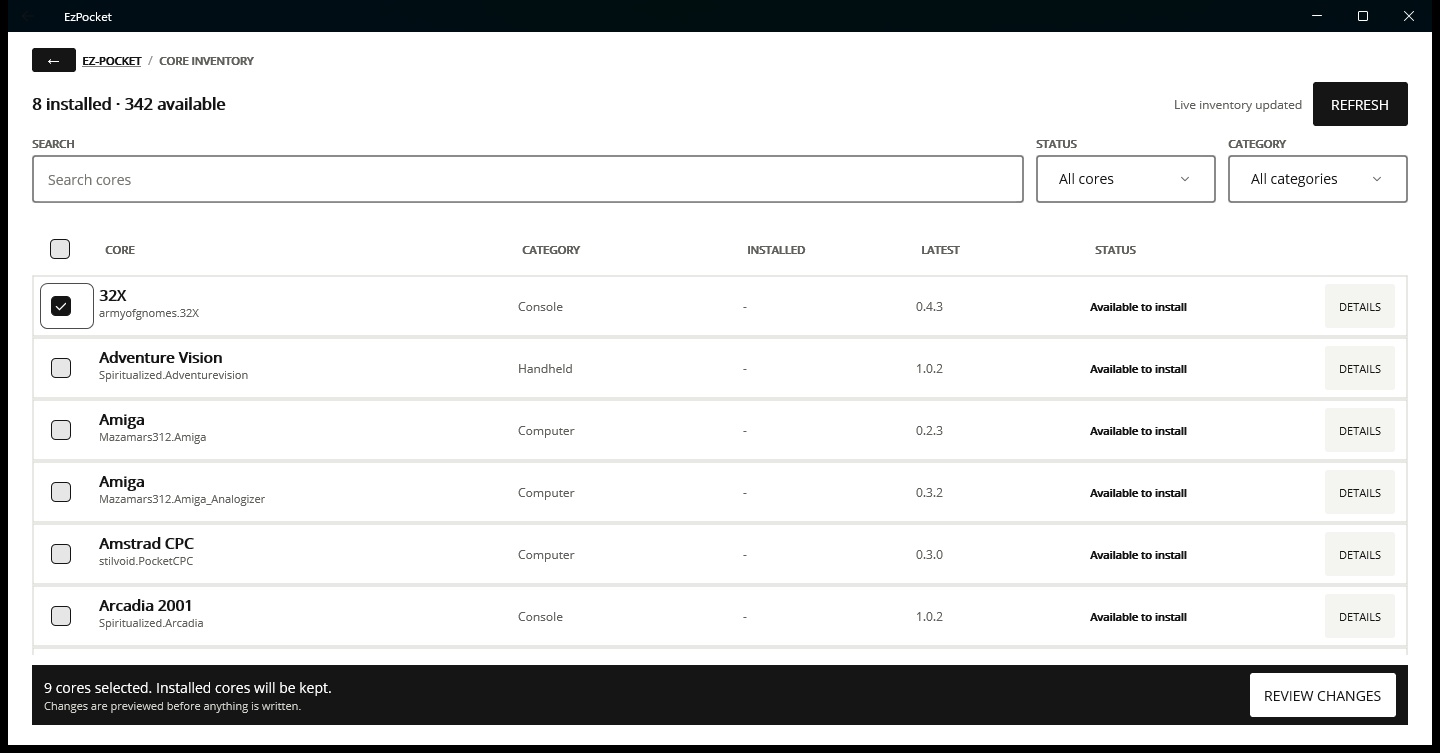
Search by system name. Compare the version on your card with the available version. Pick cores one by one, or start with a set.

System names come first.
Core IDs are there when you need them.

Core inventory with friendly names, identifiers, installed and available versions, and selection controls
CORE INVENTORY / V0.1.6 PREVIEW
02

Check the files.

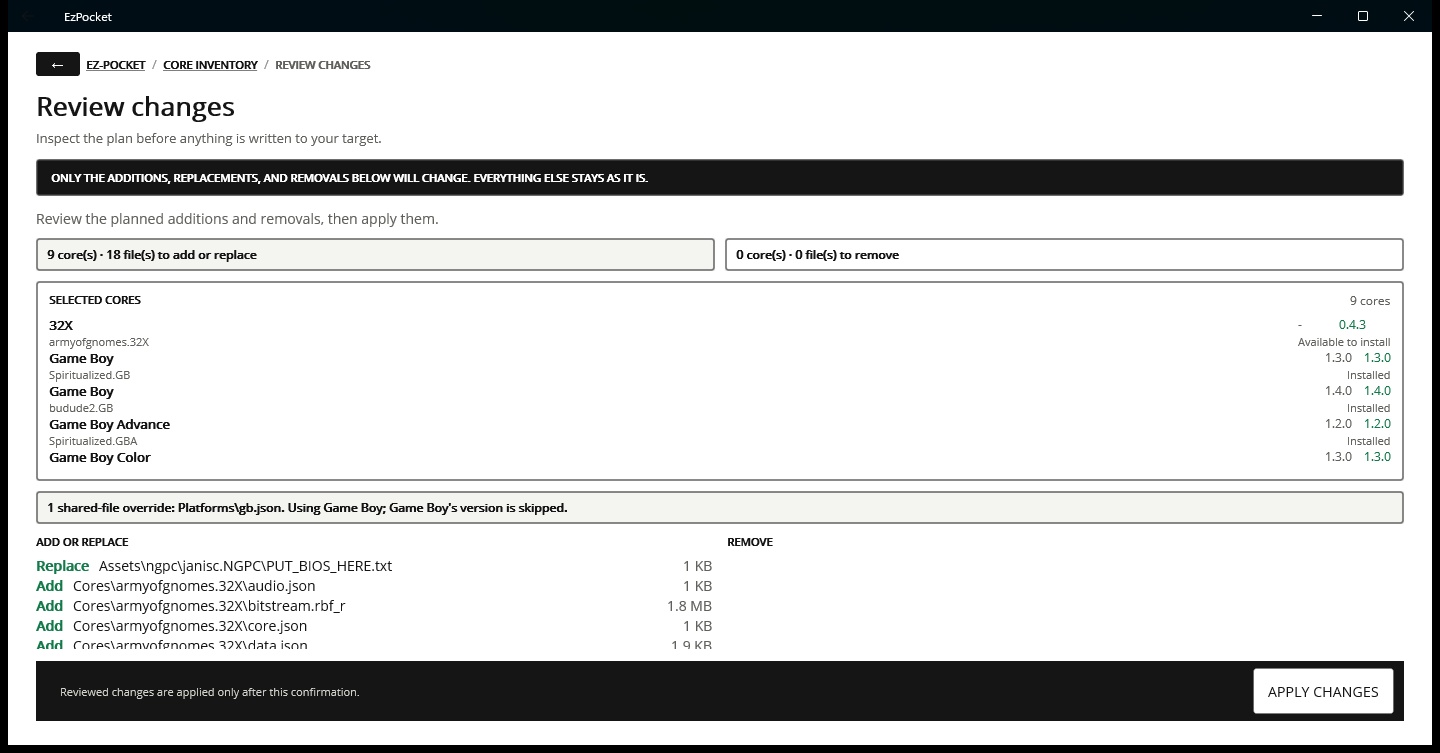
See each file the app will add, replace, or remove. The review also shows conflicts and anything that would block the sync.

The app backs up core files it replaces or removes.
If a sync fails, it tries to restore changed files.

Change review listing the exact files to add or replace before applying a core update
CHANGE REVIEW / V0.1.6 PREVIEW
WATCH THE 30-SECOND DEMO Animated walkthrough of the dashboard, core selection, and change review using a sample target

The demo uses a sample folder. It does not write to the folder. Open the demo separately ↗

MORE TOOLS

Firmware, saves,
and other files.

These tools are separate from core sync. Core, firmware, asset, and save-restore changes have review steps. Trusted plugins run directly on the selected target.

01 / CORESCore inventory
Search for cores, compare versions, and choose what to keep. Check the file list before you sync.
02 / SAVE VAULTSave backups
Back up saves and Memories to your computer. Choose a snapshot and review the files before a restore.
03 / FIRMWAREFirmware updates
Check Analogue's PocketOS download. The app checks its published checksum before it stages the file.
04 / HEALTHCard checks
Check for missing folders, unreadable core metadata, low free space, and cores missing a BIOS or other required file. Clean up hidden macOS files after a review, then eject the card safely.
05 / ASSETSPalettes and images
Add optional palettes and supported images. Review the files before you write.
06 / DIAGNOSTICSDiagnostics
Export a report when you need help. It leaves out target paths and error messages. You choose whether to share it.

DESKTOP TECHNICAL PREVIEW · V0.1.23

Choose your
desktop preview.

Scan your card and review core changes before writing. RUN PLUGIN gives trusted plugins direct target access without automatic backup or rollback. Windows is the primary development target. macOS and Linux builds are experimental.
Unsigned previews. No separate .NET runtime needed. RELEASE NOTES & MAC CHECKSUM ↗